Full-Text Search for Research Notes: Why It Matters
The Difference Between Search Types
Not all search is created equal. Most writers are familiar with browser history search or Google search, but these miss something crucial that full-text search provides.
Keyword Search (traditional):
When you search your browser history for "productivity," it finds pages with "productivity" in the title or URL. If the article is titled "The 10 Most Effective Habits" but discusses productivity extensively, you won't find it.
Full-Text Search:
When you search for "productivity," it finds every page where that word appears anywhere on the page—in the title, body text, headings, quotes, everything. Then it ranks results by relevance.
For research purposes, this distinction changes everything.
Why Writers Lose Research Daily
Here's a scenario every writer has experienced:
You're writing an article and remember reading something about "optimizing email marketing" last week. You vaguely remember the layout of the site, maybe remember it had a blue header. You search your browser history for "email marketing" but get 47 results, including your own email client, marketing dashboards, and dozens of newsletters.
You give up and search Google again, spending 10 minutes finding (and partly re-reading) what you already found.
This happens constantly. Research friction—the difficulty of retrieving information you've already found—is one of the biggest hidden productivity drains for writers.
Full-text search eliminates this friction entirely.
How Full-Text Indexing Works
At its core, full-text indexing is relatively simple:
-
Extraction: When you visit a webpage, the text content is extracted from the HTML
-
Tokenization: The text is broken into individual words and relevant phrases
-
Indexing: A fast lookup table (inverted index) is created, mapping words to the pages they appear on
-
Storage: This index is stored locally for instant retrieval
-
Ranking: When you search, results are ranked by relevance (frequency of match terms, proximity to each other, position on page)
The result is that searching across hundreds of pages of research returns relevant results in milliseconds.
Real Research Use Cases
Case Study: Content Strategy Blog Post
Maria is writing an article about TikTok marketing strategies. Over two weeks, she opens 60+ tabs reading about:
-
TikTok's algorithm and how it prioritizes content
-
Case studies of successful creators
-
Demographic data on TikTok users
-
Emerging trends in video editing
-
Analytics tools for creators
Without full-text search, finding specific statistics or examples requires opening tabs one-by-one or re-researching.
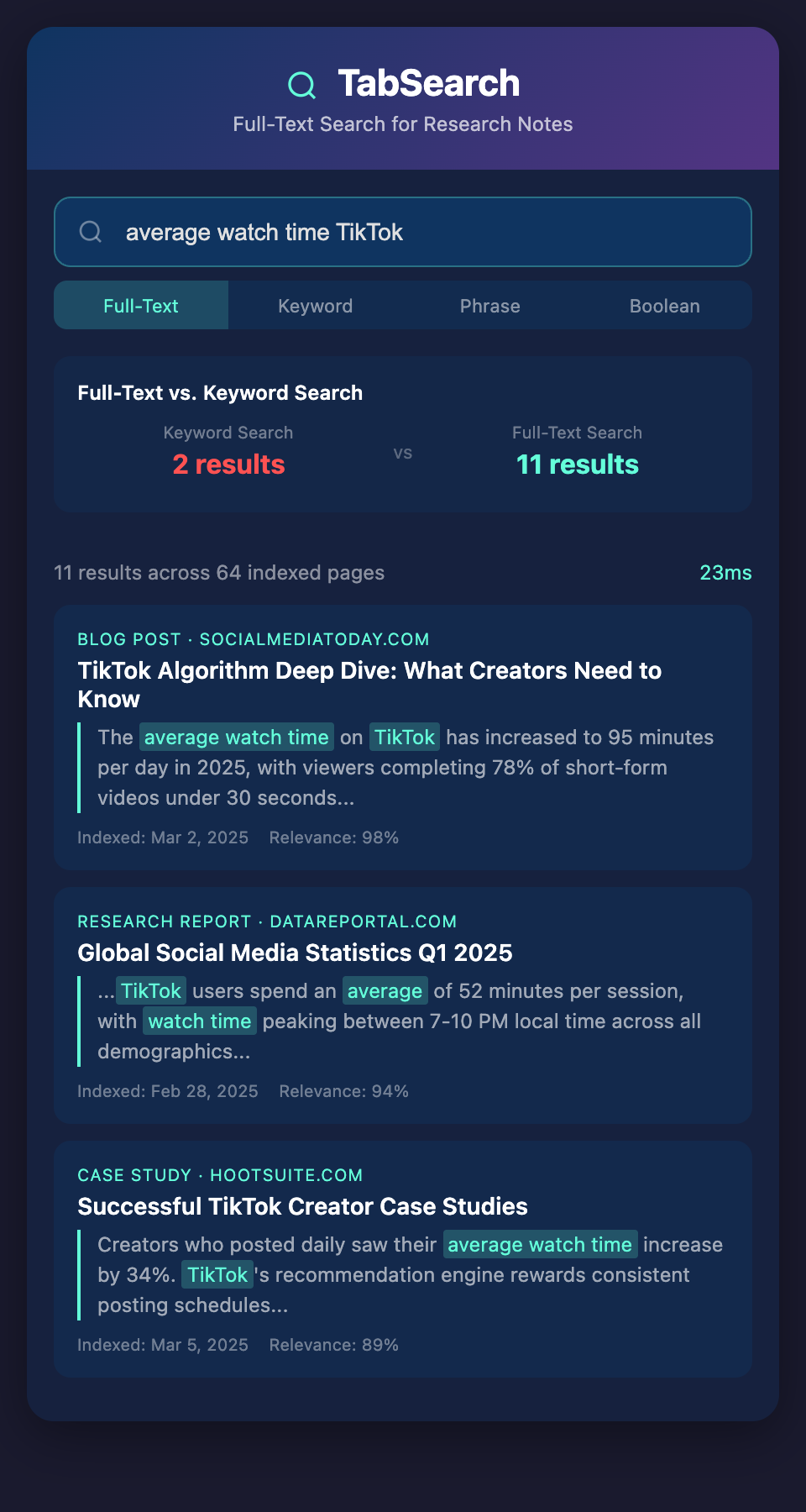
With full-text search, she types "average watch time TikTok" and instantly finds the three articles where she encountered that data.
Case Study: Book Research
David is writing a historical novel set in 1920s Chicago. He's opened 100+ research tabs about:
-
Historical events from 1920-1930
-
Architecture and geography of Chicago in that era
-
Period-accurate clothing, slang, and customs
-
Real people and events from that time
-
Contemporary news and cultural references
Three months into writing, he needs to remember which article mentioned a specific street name. A full-text search for that street instantly finds it.
Case Study: Newsletter Writer
Sarah reads 30-50 articles weekly for her newsletter. She keeps them open in tabs or bookmarks. When creating next month's "year in review" issue, she needs to surface articles about "remote work trends" that she covered 12 months ago.
A full-text search across her entire research history reveals every mention of remote work from the past year, helping her identify themes and emerging patterns.
The Cognitive Load Reduction
Beyond the obvious time-saving, full-text search reduces cognitive load dramatically.
You no longer need to:
-
Remember exact page titles
-
Remember which tab number something was on
-
Maintain mental models of folder hierarchies
-
Worry about accurate tagging or categorization
You simply remember the content or topic, search, and find it.
This frees your brain to focus on the creative work—writing—instead of information management.
Speed Matters More Than You Think
When finding a source takes 5 minutes instead of 30 seconds, you use it less. You might revise your writing to avoid needing that reference, or you might just accept lower quality because retrieving the source isn't worth the effort.
When finding sources is instant, you use them more, cite more accurately, and write better-researched content.
The speed difference isn't just about saved time—it's about quality and accuracy in your final work.
The Accuracy Factor
Research found quickly is research that actually gets verified and cited. Research that requires 10 minutes of digging often doesn't make it into the final piece, or worse, gets used from memory rather than actual verification.
Writers naturally optimize for effort. Make research easy to find, and research quality improves.
Start Your Full-Text Search Journey
The difference between traditional search and full-text search isn't academic—it's practical and immediate. Every writing session where you're looking for that one source you know you found is time and energy you could spend creating.
Join our waitlist to be among the first to experience research management built on full-text search technology. Transform how you find, reference, and leverage your research in your writing.