How to Organize Research Across Browser Tabs
The Tab Chaos Problem Every Writer Faces
If you've ever found yourself drowning in a sea of open browser tabs, you're not alone. Content creators and writers routinely open 20, 50, or even 100+ tabs during a single research session. Each tab contains a potential nugget of inspiration, a statistic, a quote, or a reference that might be useful for your next article, book chapter, or creative project.
The problem is this: when you close your browser—or worse, when it crashes—all that research vanishes. Even worse, you can't remember which tab contained that one statistic you need, forcing you to retrace your steps across the entire internet.
The fundamental issue is that traditional tab management wasn't designed for the way modern writers actually work. You're not browsing sequentially. You're gathering, synthesizing, and cross-referencing information across dozens of sources simultaneously.
Why Traditional Tab Management Fails
Most browser tabs management approaches focus on organization: folder structures, tab groups, or color-coding. While these help superficially, they solve the wrong problem.
The real issue is discoverability. Organizing 50 tabs into labeled groups doesn't help you find the specific article about content creation trends you opened three days ago. Scrolling through 30 open tabs looking for the right one wastes 15 minutes of your writing time.
What writers actually need isn't better filing—it's a memory. A searchable, persistent, full-text indexed memory of everything they've researched.
How Full-Text Indexing Changes Everything
Full-text indexing means every word on every page you visit gets indexed and made instantly searchable. Instead of trying to remember tab names or folder locations, you search for the content itself.
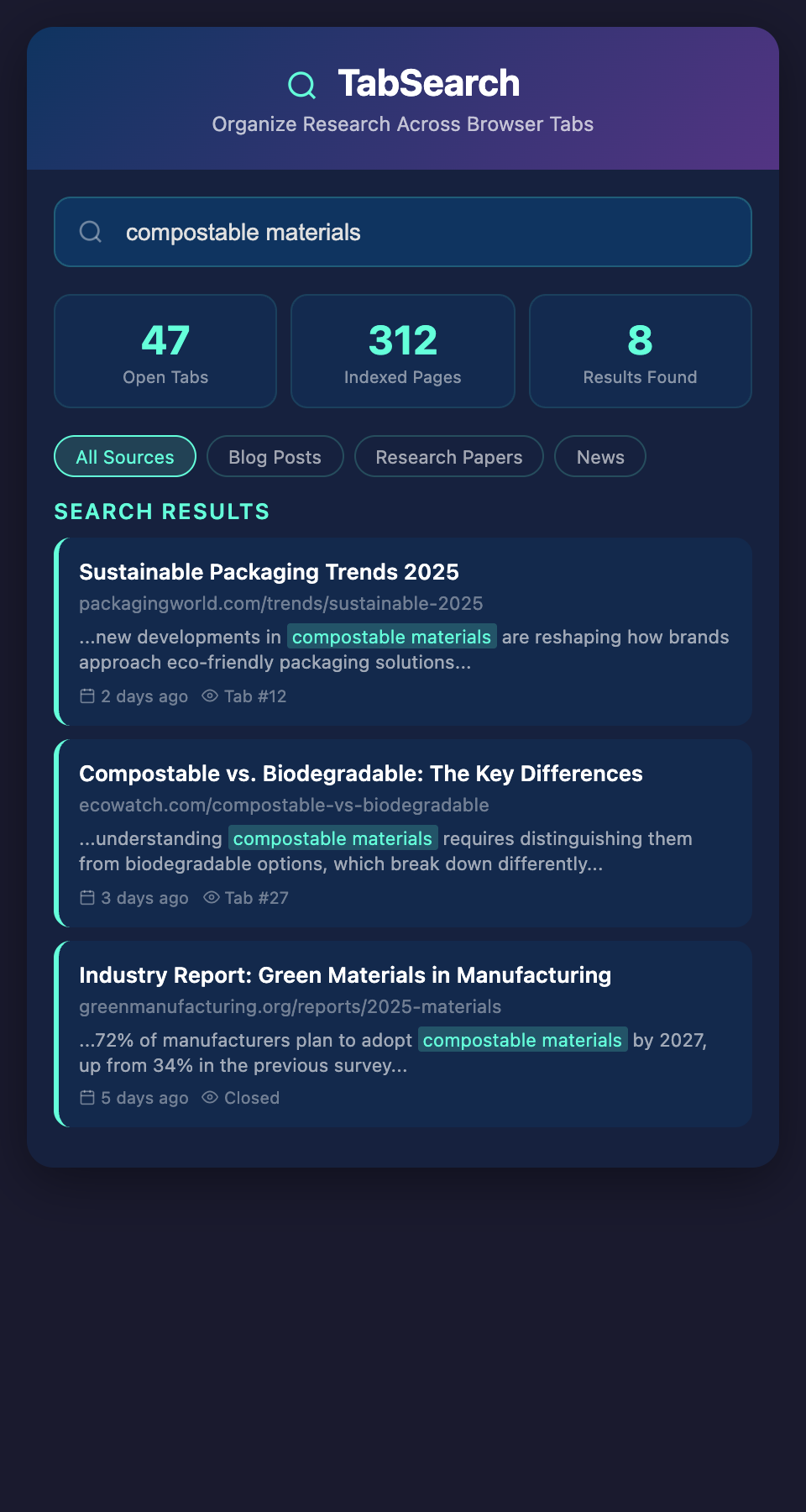
Imagine you're writing about "sustainable packaging trends." You remember reading something about compostable materials, but you opened 40 tabs that day. Without full-text indexing, you're stuck:
-
Clicking through tabs one by one (exhausting)
-
Hoping browser history helps (it won't; the search is too broad)
-
Reopening Google and researching again (counterproductive)
With full-text indexing, you type "compostable materials" and instantly see every page where that phrase appears, ranked by relevance, with context snippets showing exactly where the information is.
Building Your Research Workflow
Step 1: Open Without Fear. Stop worrying about tab overload. Open everything that looks remotely relevant. The browser extension captures it all automatically.
Step 2: Index Continuously. As you browse, content is automatically indexed in the background. No manual saving, no copying-and-pasting into notes.
Step 3: Search When Needed. When you're writing and need that reference, search your database instead of your browser history.
Step 4: Create Without Friction. Your research is always accessible, always searchable, always there when you need it.
Real-World Applications for Different Content Types
Blog Post Research
Blog writers gather sources from industry news, competitor articles, and expert interviews. With a searchable index, you can quickly cross-reference statistics, compare approaches, and find supporting evidence without re-researching.
Book Writing
Authors conducting deep research across hundreds of pages need to quickly locate specific anecdotes, data points, or thematic threads weeks or months into the writing process. Full-text search across all your research tabs becomes essential.
Newsletter Curation
Newsletter creators scan dozens of sources weekly. Being able to search your entire research history means you can find related stories from previous weeks, spot emerging trends across sources, and create more coherent narratives.
The Time Savings Add Up
The average writer spends 5-10 minutes per writing session searching for a specific source they remember opening. If you write 5 times per week, that's 25-50 minutes of wasted time weekly. Over a year, that's 20-40 hours of your life spent re-researching things you already found.
A searchable research database eliminates that waste entirely. You find what you need in seconds, not minutes.
Privacy and Control
Everything stays private. Your research database is yours alone—not synced to corporate servers, not analyzed for ad targeting, not shared with third parties. You control what's indexed, what's retained, and how long it stays in your database.
Join the Research Revolution
Stop losing research to browser crashes. Stop rewasting time searching for sources you know you found. Stop organizing tabs when you could be creating.
Join our waitlist to get early access to a tool designed specifically for how writers and creators actually work. Be among the first to transform your chaotic browser sessions into a powerful, searchable research database.