Building a Searchable Research Database From Your Own Content
Why a Personal Research Database Beats External Services
Academic researchers spend roughly 5-8 hours per week searching for and organizing sources. Most of this time isn't spent reading—it's spent managing: bookmarking, note-taking, duplicate removal, and cross-referencing.
A personal research database eliminates this overhead while giving you something more valuable: complete control over your research, privacy for sensitive work, and a searchable archive that outlives individual projects.
The advantage over services like Google Scholar or ResearchGate is simple: those systems optimize for discovery (finding new papers), not organization (managing papers you already have). A personal database is the opposite—it's built entirely around organizing what you've already collected into a searchable resource.
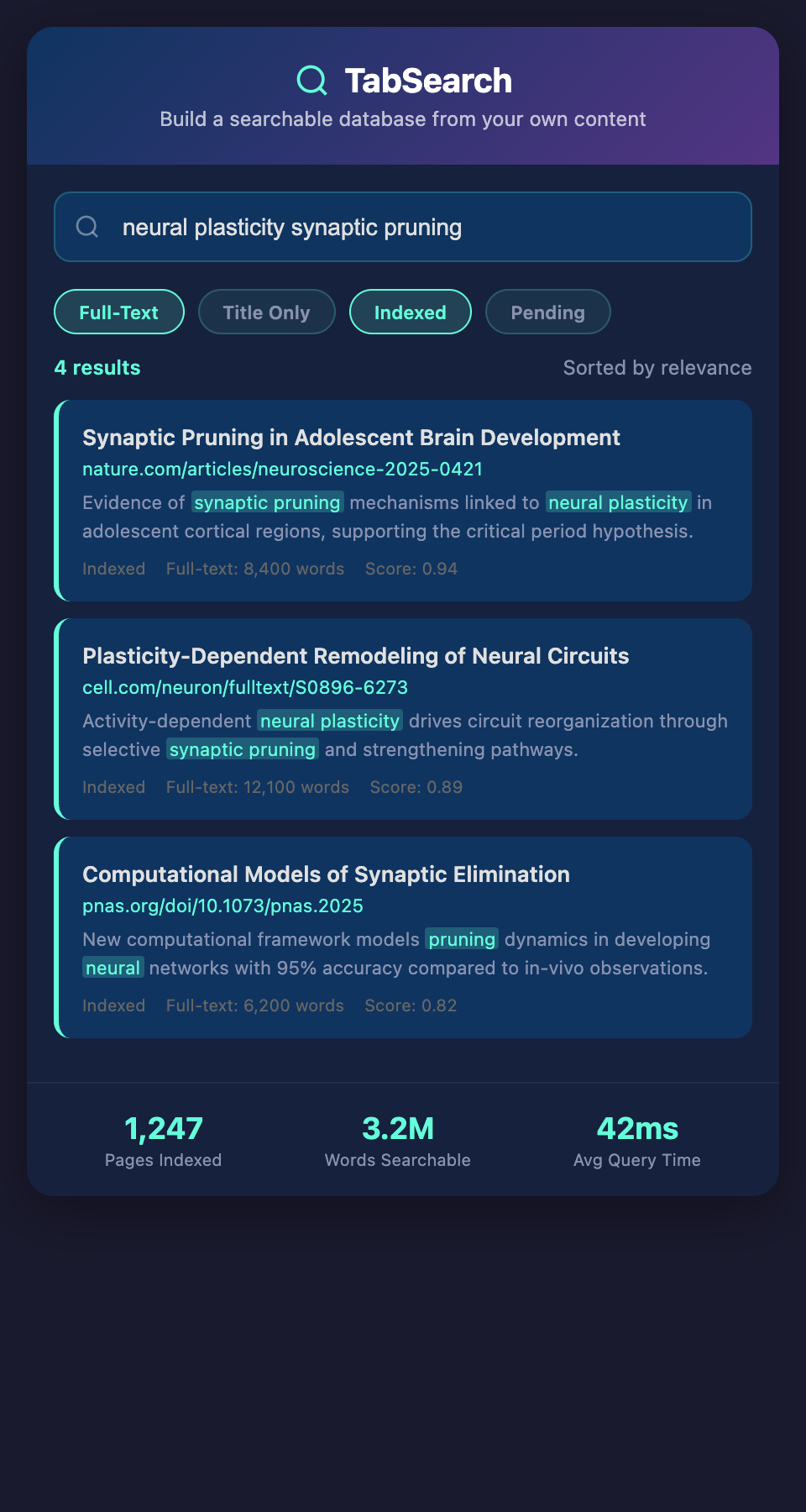
What Makes a Research Database Actually Searchable
Most researchers confuse "having information" with "being able to search it." Filling a folder with PDFs isn't a database—it's a filing cabinet where you can only search by filename.
A searchable research database requires:
Full-Text Indexing
Every word on every page you collect should be indexed and searchable. If you find an article about climate policy and you later search "carbon tax mechanisms," the article should appear in results even if those exact words aren't in the title.
Full-text indexing transforms your database from a retrieval tool (finding things you remember) to a discovery tool (finding things you've forgotten or overlooked).
Structured Metadata
Alongside full text, your database should capture structured information:
-
Author names and affiliations
-
Publication date and venue
-
DOI and other identifiers
-
Subject categories and keywords
-
Your personal annotations and relevance assessments
This metadata enables filtering, sorting, and advanced searches impossible with plain text alone.
Multiple Search Dimensions
A single search bar is a limitation, not a feature. Your database should support:
-
Full-text search: Find any word anywhere in any source
-
Author search: Find all papers by a specific researcher
-
Date range search: Limit results to papers published between two dates
-
Tag/keyword search: Find sources you've tagged with specific themes
-
Citation search: Find sources that cite other papers in your collection
-
Metadata search: Filter by publication type, venue, or other attributes
Together, these search dimensions let you answer questions your research raises:
-
"Who are the leading researchers on this topic?"
-
"Have I collected anything published in the last 6 months on this subtopic?"
-
"What did I note about this paper's methodology?"
-
"Which sources provide experimental evidence vs. theoretical arguments?"
Speed and Responsiveness
A searchable database that takes 30 seconds to return results isn't actually searchable—you'll avoid using it. Real search means sub-second responses across thousands of sources.
This requires proper indexing and database architecture, not just dumping content into a folder.
The Technical Foundation You Need
Building an effective personal research database doesn't require computer science knowledge, but it does require understanding basic concepts:
Database Architecture
Your database should be relational: sources connect to your notes, notes connect to tags, tags organize your research areas. This structure lets you ask complex questions: "Show me all sources tagged with 'neuroscience' that I found in the last three months and annotated with 'methodology questions.'"
Full-Text Search Engine
Plain database queries can't efficiently search millions of words. You need a specialized full-text search engine (like Elasticsearch or PostgreSQL's built-in full-text search) that indexes every word and returns relevant results based on relevance ranking.
Automatic Content Capture
Manually copying and pasting content defeats the purpose—you lose time and introduce errors. Your database should automatically capture the full content of pages you open, extract text while preserving structure, and index immediately.
Backup and Archival
Your research database contains irreplaceable work. It must have automated backups, version control, and recovery mechanisms. The moment you start building a database, you also start depending on it—losing it would be catastrophic.
Building Your Database: A Practical Approach
Step 1: Define Your Scope
Decide what belongs in your database:
-
Academic papers: All research papers you read, including preprints?
-
Articles: News, blog posts, and trade publications?
-
Books: Full book contents or just metadata?
-
Datasets and code: Research-related data and code repositories?
-
Your own notes: Personal annotations and synthesis?
A focused scope is better than an overly broad one. Many researchers start with "only peer-reviewed academic papers" and expand later.
Step 2: Establish Data Collection
How will content enter your database? The most effective approaches:
Automatic capture: Configure your system to automatically capture every webpage you visit during research sessions, requiring no manual action.
Manual addition: For sources outside your browser (books, local files), implement a simple import process.
Bulk import: Upload existing sources you've already collected (PDFs, exported citations from Zotero, etc.).
Step 3: Structure Your Metadata
Design the information you'll capture and search by:
Essential metadata:
-
Source type (paper, article, book, dataset, website)
-
Authors
-
Publication date
-
Title
-
URL or file location
-
Your relevance rating
-
Personal tags and annotations
Optional metadata:
-
Subject classification
-
Keywords (from source or your additions)
-
Citation count (if available)
-
Read status (haven't read, reading, read)
-
Notes on methodology, findings, limitations
Step 4: Build Search Capabilities
Implement search across each dimension:
-
Text search: Returns sources containing specific words
-
Faceted search: Filter by date range, source type, tags
-
Advanced search: Combine multiple filters ("papers published 2020-2025 tagged 'machine learning' that I rated 4+ stars")
Step 5: Integrate with Your Workflow
Your database should integrate with:
-
Citation managers: Export citations in any format
-
Document editors: Reference sources while writing
-
Email/communication: Share sources with colleagues
-
Note-taking: Annotate within the database
Real-World Database Example: A Dissertation Project
A PhD student researching ocean acidification and coral bleaching built a personal research database:
Initial scope: All peer-reviewed papers on acidification effects on marine organisms.
Collection method: Auto-capture browser tabs during research sessions + bulk import of 150 existing papers from her Zotero library.
Database size after 18 months: 847 papers, 23,000+ pages of content, fully indexed.
Search examples that saved her time:
-
"Find all papers on pH effects published 2023-2025": 34 results, revealing the most recent research direction
-
"Find papers using mesocosm experiments that also discuss pH buffering": 12 results, perfect for methodology comparison
-
"Find all papers citing Smith et al. 2019": 8 papers, showing which recent work built on that foundational study
-
"Find papers I rated 5 stars but haven't annotated": 6 papers to deep-read and take notes on
Final benefit: When writing her dissertation, she had instant access to complete citations, relevant methodology descriptions, and her own previous notes on each source. Rather than spending weeks writing the literature review, she synthesized it in days by pulling directly from her database.
Maintenance and Growth
As your database grows, maintenance becomes important:
Quarterly maintenance:
-
Remove duplicate sources that somehow entered the database
-
Update outdated URLs and verify dead links
-
Re-tag sources that might have been miscategorized
-
Archive completed research areas to keep active database focused
Annual review:
-
Assess database growth: Is it manageable? Too large?
-
Evaluate search effectiveness: Can you find what you need?
-
Clean up abandoned projects or outdated research
-
Plan for storage and backup scaling
Privacy and Control
Your personal research database contains your intellectual work—preliminary findings, methodologies, research gaps you've identified. Keeping this private is crucial, especially for:
-
Researchers working on competitive topics
-
Those with confidentiality agreements
-
Studies with human subjects requiring privacy
-
Work that might be patented or commercialized
A self-hosted database ensures you maintain complete control and privacy.
Building Your Research Intelligence System
Your database should become your research intelligence system—the single source of truth for everything you've learned in your field. Rather than scattered notes, bookmarks, and files, you have one authoritative, searchable collection.
The investment in building this system pays dividends throughout your career: faster research for current projects, ability to leverage previous research years later, and the confidence that you haven't missed important sources.
Ready to build your searchable research database? Join our waitlist for a system that automatically captures and indexes every research page you find, turning your browser into a personal research engine.