Converting Unstructured Research Notes Into Proper Citations
The Citation Formatting Problem
You've done the hard research work: found sources, read them carefully, taken notes about their key contributions. Now comes the frustrating part—turning those scattered notes and sources into properly formatted citations for your bibliography.
Academic citation formatting is simultaneously simple and complex. Simple because the rules are clear: author name, date, title, publication venue, page numbers. Complex because each citation style (APA, Chicago, MLA, IEEE) arranges these elements differently, requires different punctuation, and has unique rules for handling special cases.
Most researchers spend hours on citation formatting that should be automated. You're not doing intellectual work—you're mechanically moving commas and periods around to satisfy style rules.
Why Manual Citation Management Fails
Inconsistency Accumulation
When you manually format citations, small inconsistencies creep in. Some entries have "pp. 45-67" while others have "pages 45-67." Some author names are formatted as "Smith, John" while others are "John Smith." Your bibliography ends up with the publication details spread across formatting styles.
Update Inefficiency
A colleague points out you've misnamed an author, or you realize a source was published more recently than you thought. With manual citations, fixing one entry doesn't update all references to that source elsewhere in your document. You might miss updating citations in the bibliography or text.
Style Switching Cost
You write your paper in APA format for a class, then need to convert it to Chicago format for a journal submission. With manual citations, this conversion requires going through the entire document and bibliography, fixing each citation. An hour of work that should take seconds.
Lost Metadata
When you manually format a citation, you often lose the underlying metadata. You write "Smith et al. (2020)" but later forget the authors' full names, the exact journal name, or page numbers. You'd have to look up the original source again.
Incomplete Citations
Manually created citations often lack complete metadata. You might include author and date but forget the DOI. You include the journal name but not the volume number. Later, someone needs complete information and your citation is incomplete.
The Modern Citation Management Approach
Contemporary research workflows use automated citation management, which stores complete metadata for each source and auto-generates citations in any format.
Complete Metadata Capture
Rather than writing a citation manually, you capture complete information:
-
Authors: Full names and affiliations
-
Title: Exact title with subtitles
-
Publication venue: Journal name, volume, issue, pages for articles; publisher and city for books
-
Date: Publication date (sometimes also accessed or retrieved date)
-
Identifiers: DOI, ISBN, ISSN, URL
-
Type: Article, book, conference paper, thesis, website, etc.
-
Additional data: Abstract, keywords, research discipline
With complete metadata, you can generate any citation format accurately.
One-Click Citation Generation
Once metadata is captured, generating a citation in any format is instant:
-
Paste or select the source metadata
-
Choose citation style (APA, Chicago, MLA, Harvard, IEEE, etc.)
-
Get a properly formatted citation immediately
-
Copy into your document
No manual formatting required.
Automatic Bibliography Management
As you cite sources in your document, the system automatically:
-
Tracks which sources you've cited
-
Generates a complete bibliography in the selected style
-
Updates automatically if you add or remove citations
-
Ensures bibliography and in-text citations remain synchronized
Change from APA to Chicago format? Your entire bibliography updates automatically.
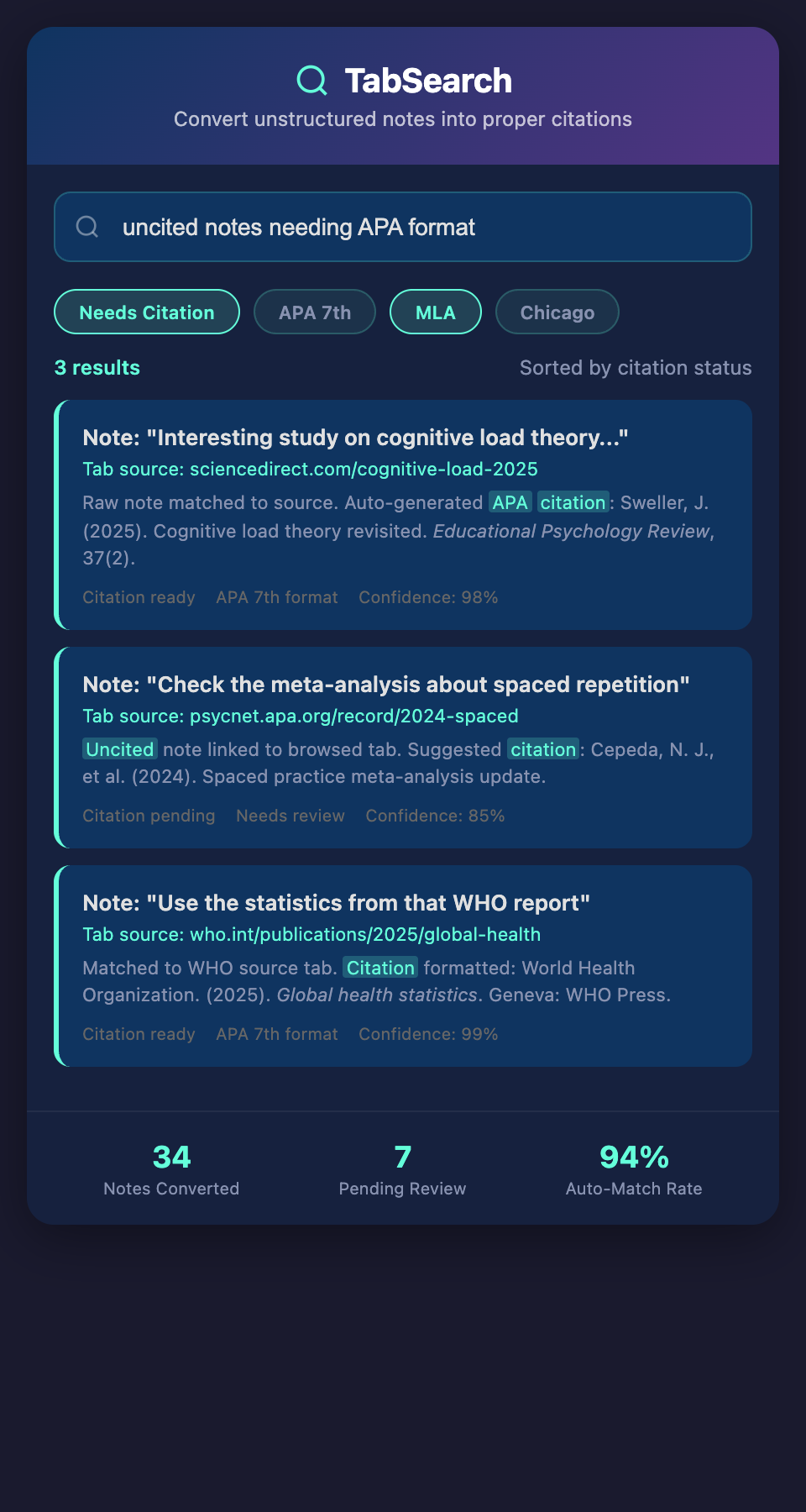
Converting Your Scattered Notes Into Structured Data
If you have research notes and sources scattered across different systems, converting them to structured citation data requires a systematic approach:
Step 1: Identify Your Sources
List all sources you might cite:
-
Papers in your downloads folder
-
Articles in your browser bookmarks
-
Books in your references
-
Websites and blog posts
-
Reports and gray literature
-
Data sets and code repositories
Don't worry about organization yet—just inventory what exists.
Step 2: Extract Citation Identifiers
For each source, try to identify a unique identifier:
-
DOI: Most academic papers have Digital Object Identifiers
-
ISBN: Books have International Standard Book Numbers
-
URL: Websites and articles have URLs
-
Author + Year: If you can't find a standard identifier, use author and publication date
These identifiers let you look up complete metadata.
Step 3: Retrieve Complete Metadata
Use identifier-based lookup to retrieve complete citation metadata:
For DOI: CrossRef.org (most comprehensive), PubMed (biomedical papers), arXiv (preprints)
-
Search CrossRef with a DOI and get complete citation information: authors, exact title, journal, volume, pages, publication date
-
Download this metadata in structured format (BibTeX, JSON, etc.)
For ISBN: ISBN lookup services, library catalogs, bookstore sites
- Search by ISBN and retrieve author, exact title, publisher, publication date, page count
For arXiv papers: arXiv.org API
- Search by title or authors and retrieve complete metadata
For websites: Open Graph metadata, schema.org markup
- Websites increasingly include machine-readable citation metadata
For missing identifiers: Manual research
-
If you only have author name and vague title, search Google Scholar or your library database
-
Verify the exact citation details
-
If it's really obscure, document what you have and note the uncertainty
Step 4: Standardize Into a Citation Format
Convert all retrieved metadata into a standard format. BibTeX is excellent for this:
@article{smith2020climate,
author={Smith, John and Jones, Mary},
year={2020},
title={Climate Change Impacts on Agricultural Productivity},
journal={Environmental Science & Technology},
volume={54},
pages={1234-1245},
doi={10.1021/acsest.0c00123}
}
This structured format can be converted to any citation style automatically.
Step 5: Organize by Project
Group citations by research project or paper. Rather than a single massive bibliography, organize by:
-
The paper or project they'll appear in
-
The topic or chapter where they're cited
-
The confidence level (definitely citing vs. might cite)
This organization prevents including irrelevant sources and keeps citations focused.
Advanced Conversion Techniques
Converting From Existing Bibliography Systems
If you've already created a bibliography in another tool, convert it:
From Zotero: Export as BibTeX or JSON and import into your new system
From Mendeley: Export as BibTeX (though Mendeley's exports are sometimes incomplete)
From Google Scholar: Use "Cite as" dropdown and copy BibTeX format
From Word document: If you have citations in a Word document with notes, extract them and look up complete metadata
This preserves your previous work while moving to a more automated system.
Building Relationships Between Sources
As you convert citations, note relationships:
-
Which sources cite each other (creating citation networks)
-
Which sources are in conflict or disagreement
-
Which sources build on a foundational paper
-
Which sources use similar methodologies
These relationships create context that isolated citations never provide.
Annotating During Conversion
As you're converting notes into citations, add structured annotations:
-
Key findings: What does this source contribute to your research?
-
Methodology: How did the authors conduct their research?
-
Relevance: How strongly does this apply to your work?
-
Quality assessment: How credible is this source?
-
Citations to follow: What other sources does it cite that you should track down?
These annotations transform static citations into living research notes.
Real-World Example: Converting a PhD Literature Review
A doctoral student had accumulated citations for her literature review in:
-
An Excel spreadsheet: 45 entries with author, year, and title
-
A Zotero collection: 78 entries, partially annotated, some with PDFs
-
Browser bookmarks: 32 URLs to research articles
-
A Word document: Notes on 20 key papers with quotes and page numbers
-
PDF downloads folder: 89 PDFs with inconsistent naming
Conversion process:
-
Exported Zotero collection as BibTeX (78 entries, clean format)
-
Cross-checked Excel spreadsheet against Zotero exports—found 42 duplicates, added 3 unique entries
-
Looked up browser bookmarks using URLs:
-
28 still valid, retrieved complete metadata from CrossRef or DOI
-
4 were dead links, found archived versions and complete citation info through Google Scholar
-
Used Google Scholar to retrieve metadata for the remaining bookmarks
-
-
Processed Word document notes by searching Google Scholar for each paper referenced in notes, retrieving complete metadata
-
Named and scanned PDFs: Used PDF metadata extraction to identify papers, looked up complete citations for any where metadata was incomplete
-
Resolved duplicates: Found that the same paper appeared in Zotero under two slightly different titles (preprint vs. published version)—merged with note explaining both versions
Final result:
-
148 total unique sources (not 265 initially counted)
-
All sources with complete metadata in standardized BibTeX format
-
Complete bibliography auto-generated in APA format
-
Organized by literature review chapter
-
Annotated with notes from her Word document
-
Related sources linked showing citation networks
The conversion took 6 hours of work—less than she would have spent manually formatting the bibliography.
Automation Opportunities
Several steps in this process can be automated:
Metadata Lookup APIs
Services that automatically resolve citation metadata from identifiers or incomplete information, eliminating manual lookups.
Duplicate Detection
Algorithms that identify the same source referenced under different titles, formats, or versions.
Format Conversion
Automatic conversion between citation formats (BibTeX, RIS, JSON, etc.) and citation styles (APA, Chicago, MLA, etc.).
Named Entity Recognition
AI that identifies author names, journal names, and publication years in unstructured text, helping extract metadata from notes and PDFs.
Building Your Citation Infrastructure
Start by assessing your current citation situation:
-
How many sources do you currently have?
-
How many different places are they stored?
-
How much time do you spend on citation formatting?
-
How confident are you that your citations are complete and correct?
Most researchers with 50+ sources spend 5-10 hours per project on citation work that could be automated.
Maintaining Your Citation Database
Once you've converted your sources to structured citations, maintaining quality is ongoing:
Monthly maintenance:
-
Review new sources to ensure complete metadata
-
Verify DOIs and URLs still work
-
Tag sources with relevant keywords for discovery
Before each paper:
-
Check that all cited sources have complete metadata
-
Verify your citation format matches requirements
-
Generate bibliography and proofread
-
Check that all in-text citations have bibliography entries
This maintenance prevents citation errors and ensures your research database stays valuable over time.
Integration With Your Writing
The best system connects citation management directly to writing:
-
As you write in Google Docs or Word, insert citations from your database
-
The system auto-generates in-text citations in the correct format
-
Bibliography updates automatically
-
You can seamlessly switch citation styles for different publications
This integration means citation management becomes invisible—it just works.
Ready to automate your citation formatting and eliminate hours of manual work? Join our waitlist for a system that automatically converts your research notes into properly formatted citations in any style.