How to Organize Research Tabs Efficiently
The Tab Explosion Problem
Every researcher knows the feeling: you start with two or three research tabs open, then suddenly you have forty-seven. You're deep in a literature review, jumping between papers, databases, and supplementary materials. A tab contains a crucial finding you discovered at 2 AM. Another has a methodology you need to compare. But which one? You've been scrolling through your tab bar for ten minutes, hovering over preview snippets, trying to remember where that specific study about neural networks went.
This is the tab explosion—a universal problem in academic research that costs you hours each week. The average researcher loses between 5-8 hours monthly just managing browser tabs and relocating sources they've already found. That's productivity you'll never get back.
Why Standard Tab Management Fails
Browser bookmarks worked fine when you had twelve tabs. Folder systems break down when you're synthesizing information across 50+ sources. Bookmark managers require you to pause your research flow to manually categorize each link. Spreadsheets of links become outdated within days. By the time you've organized them, you've forgotten half the context you needed.
The problem isn't your system—it's that traditional tab management treats symptoms, not the root cause. You're trying to organize your tabs after the research begins, like trying to alphabetize books while reading them.
The Three Layers of Tab Chaos
Layer 1: Discovery Overwhelm
You find sources faster than you can process them. Each tab represents a decision deferred—you tell yourself you'll read this later, evaluate it later, decide if it's relevant later. Meanwhile, your cognitive load increases with every new tab.
Layer 2: Context Loss
When you return to a tab hours later, you've lost the context of why it mattered. You don't remember where it fits in your argument or how it connects to other sources. You re-read it to reestablish context, wasting time.
Layer 3: Search Friction
Finding a specific source means either scrolling through dozens of tab previews or using your browser history—which is like looking for a needle in a haystack of every website you've visited in weeks.
Immediate Strategies for Tab Organization
Before diving into technology solutions, implement these tactical approaches today.
Adopt a Three-Tier System
Create three types of tabs:
-
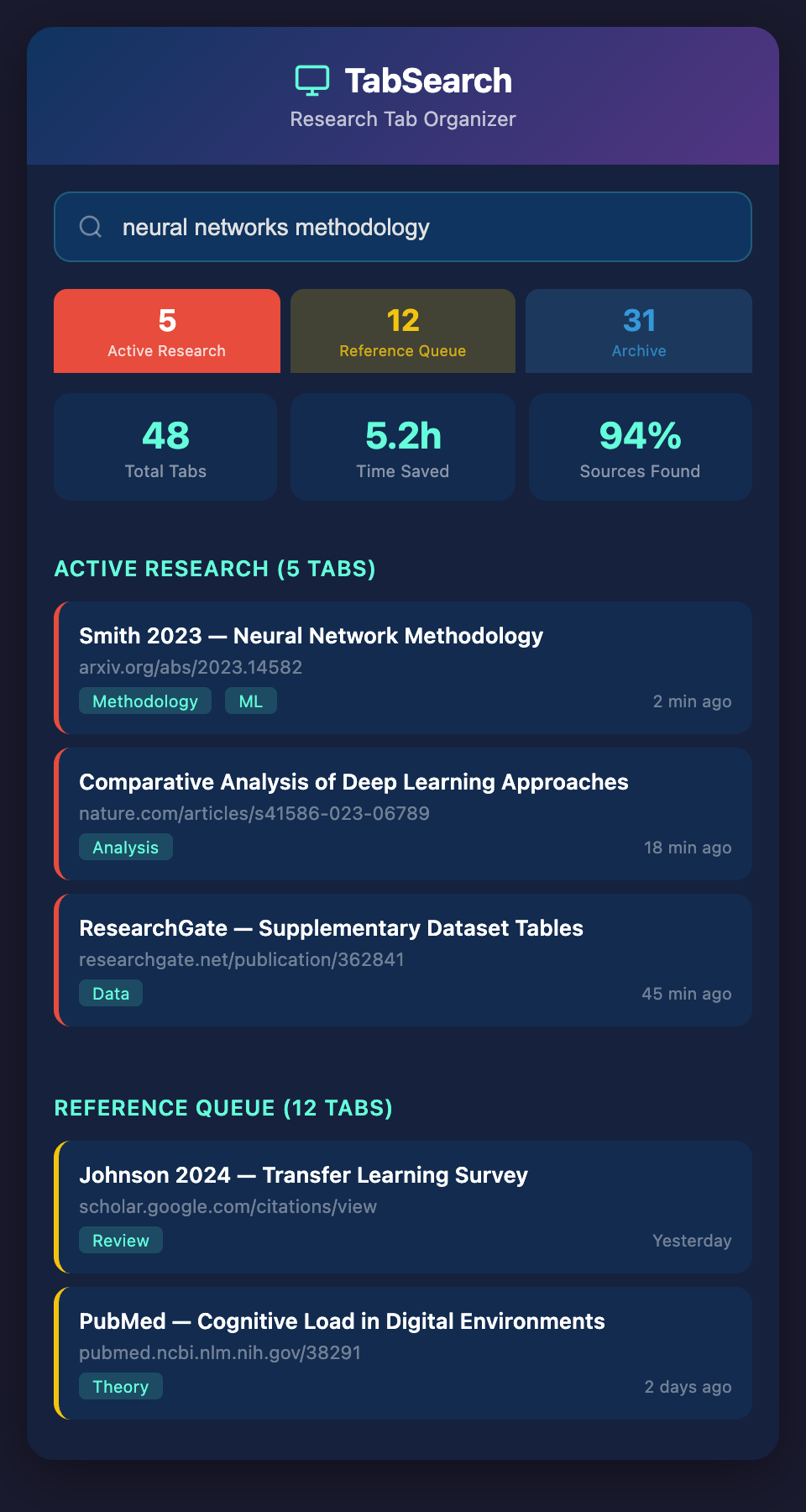
Active Research (currently reading/comparing)—keep this to 5-8 tabs maximum
-
Reference Queue (important but not immediate)—move tabs here when you're done with initial review
-
Archive (sources you've evaluated but might reference)—save these before closing
Use browser tab grouping features (available in Chrome, Edge, and Firefox) to physically separate these tiers. Color-coding helps too: red for active, yellow for queue, blue for archive.
Name Your Tabs Meaningfully
Don't accept the default page title. Use browser developer tools or tab naming extensions to rename tabs with context: "Smith 2023—neural networks methodology" instead of "ResearchGate | Request PDF". One second to rename saves five minutes searching later.
Implement Time-Boxing
Set dedicated research sessions: "90 minutes of literature review." Within that window, open new tabs freely. When the timer ends, process the tabs. This prevents endless scrolling and creates natural breakpoints for organization.
Building Your Reference Capture System
The real solution goes deeper than tab management. You need a system that captures not just the link, but the context, the excerpt, and your thoughts—automatically.
What to Capture Beyond the URL
-
The excerpt: The specific paragraph or finding that caught your attention
-
The connection: Why it matters to your research question
-
Your reaction: What did this make you think about?
-
Metadata: Author, publication date, discipline, methodology type
When you return to a tab three weeks later, this context immediately surfaces your reasons for saving it.
Create a Capture Workflow
Each time you find a relevant source:
-
Highlight the key passage in the paper or webpage
-
Capture it with a quick annotation (one sentence: why this matters)
-
Tag it with your research project or theme
-
Add to your reference system (not just bookmarks)
-
Close the tab
This takes 30 seconds per source but saves hours in recall and reorganization.
Moving Beyond Manual Management
The future of research tab organization isn't manual—it's intelligent capture. Emerging tools are beginning to solve this by automatically indexing everything you open, making every tab searchable, and extracting the context you need without extra effort.
Imagine closing your 47 tabs, knowing that every paragraph, every finding, every connection is preserved and searchable. You could reference back to a specific finding you discovered weeks ago with a simple search, without remembering which tab it was or where you found it.
This is where the research workflow should go: automated, complete capture that doesn't require you to pause and organize. Your research flows; your system captures everything.
Getting Started Today
Start small. Today, implement the three-tier tab system using your browser's native tab grouping. Name three of your most important current tabs with meaningful context. Close tabs that have been open for over two weeks without being referenced—you can find them again through history if needed.
Tomorrow, test a capture workflow on your next research session. Notice how much faster it becomes once you build the habit.
The researchers who master their tab ecosystem gain an invisible advantage: they spend less time searching for sources and more time on the actual synthesis and thinking that makes research valuable.
If you're ready to move beyond tab management chaos into a system that automatically indexes and searches everything you research, join our waitlist. We're building a tool that captures your entire research context—every tab, every excerpt, fully searchable—so you never lose a reference again.