How to Organize Research Notes Without Losing References
The Challenge Every Researcher Faces
If you're managing more than five open browser tabs for research, you've already experienced the moment of panic: you found the perfect source yesterday, but now you can't remember which tab it was in. Your browser history is a graveyard of links you might need again, and your notes are scattered across Word documents, OneNote, Google Drive, and sticky notes on your monitor.
The problem isn't your memory—it's that traditional browser-based research workflows weren't designed to handle the scale of modern academic work. When you're managing dozens of sources simultaneously, the manual process of bookmarking, taking notes, and maintaining references becomes a bottleneck.
Why Standard Note-Taking Falls Short
Most researchers rely on fragmented tools: the browser for finding sources, text editors for notes, and reference managers like Zotero or Mendeley for citations. This separation creates friction at every step.
The hidden costs of this approach:
-
You waste 10-15 minutes per session relocating sources you've already found
-
Context switches between tabs and note-taking applications break your flow
-
Full-text search across all your sources requires manual indexing
-
References get duplicated when you forget you already collected them
-
Dead links in your notes offer no way to recover the original content
A Unified Approach to Research Organization
The most effective academic researchers treat their browser session as a unified research environment, not disconnected tabs. Every tab contains valuable information that should be immediately searchable and citable without leaving your workflow.
Key principles of effective research organization:
Capture Everything Automatically
When you open a tab for research, that page's full text should be captured and indexed automatically. You shouldn't need to decide what's worth saving—the system handles archival for you. This eliminates the cognitive load of manual bookmarking and note creation.
Make Everything Instantly Searchable
The moment you need to find a source, search should work across your entire research session, not just memory and browser history. A researcher studying climate policy shouldn't need to remember whether they found information about carbon pricing in Tab 23 or in a closed session from yesterday.
Preserve Original Context
A good research system preserves not just the text you found, but the exact page layout, tables, citations, and context where you found the information. Extracting text without structure loses the nuance researchers need.
Creating Your Personal Research Database
The most powerful approach is building your own searchable database of research content. Unlike relying on external databases, a personal system gives you complete control and privacy.
Steps to implement this workflow:
-
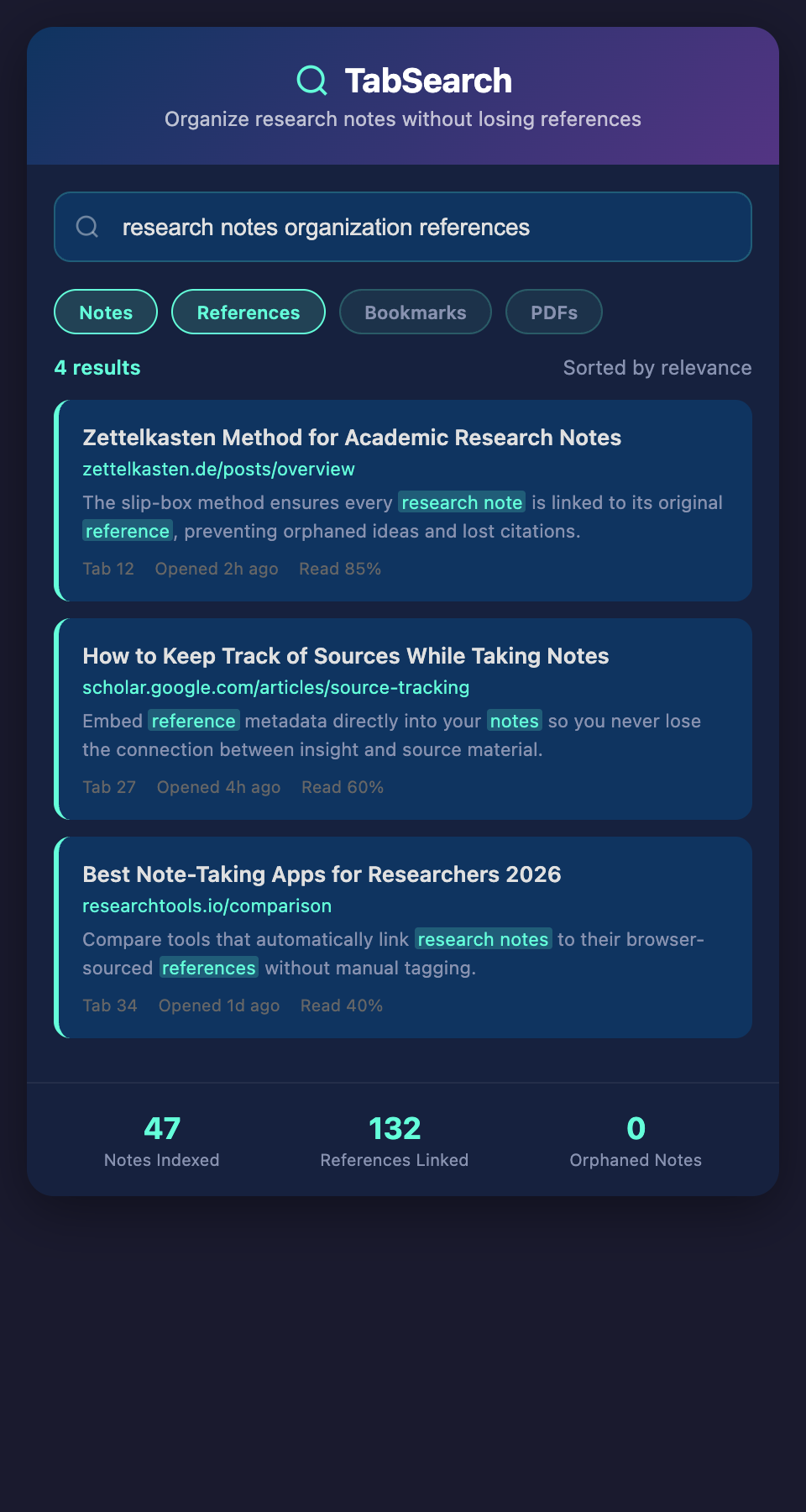
Automatic content capture: Every page you open for research is automatically archived with full-text indexing
-
Unified search interface: Search across all captured content from a single dashboard
-
Integrated note-taking: Annotate directly within archived pages without switching applications
-
Citation generation: Export references in your chosen format directly from captured sources
-
Version control: Track changes to your research organization and recover previous versions
Real-World Example: Managing a Literature Review
Imagine you're conducting a literature review on machine learning in medical diagnostics. You open 40 research papers over two weeks, along with 15 technical articles, 8 blog posts from industry researchers, and 12 news articles about regulatory changes.
With a unified research database:
-
Every source's full text is indexed within minutes of opening
-
You can search "convolutional neural networks medical imaging accuracy" and instantly find all relevant passages across all sources
-
You discover you have 3 nearly-identical papers on the same topic, allowing you to focus on the unique contributions
-
When writing your literature review, you can export references in APA, Chicago, or any other format directly from the source citations
-
You can return to this research in six months and still have a perfectly organized, searchable collection
Without this system, you'd spend hours re-finding sources, managing duplicate files, and manually formatting citations.
The Privacy and Control Advantage
Many academic researchers work with sensitive data: preliminary findings, confidential research methodologies, or unpublished grant applications. Building your own searchable database means you maintain complete control over your research without uploading sensitive material to cloud services.
Your research stays on your machine, fully indexed and searchable, without the privacy concerns of external platforms.
Implementing This in Your Workflow
Start by identifying where your research sources currently live:
-
Open browser tabs (captured in real-time)
-
Recently closed tabs (recoverable from history)
-
Bookmarks across different folders
-
PDFs downloaded to your computer
The most effective systems unify all of these into a single searchable interface. When you transition from scattered tabs to a unified database, you'll recover 5+ hours per week previously spent re-finding sources.
Next Steps
If you're managing dozens of research sources across multiple tabs and struggling to keep them organized, it's time to move beyond manual bookmarking. A searchable, full-text indexed database of your research transforms how you work—reducing friction, eliminating duplicates, and letting you focus on the actual research instead of organizing it.
Ready to stop losing research sources? Join our waitlist to get early access to our full-text research indexing system designed specifically for academics.