Instant Access to Your Saved Development Resources: Never Lose Information Again
The Information Scattered Problem
Your development knowledge is scattered across disconnected tools and locations. Part of it lives in your IDE. Part in saved browser tabs. Part in bookmarks you haven't organized in two years. Part in old Slack conversations you can't quite remember. Part in blog posts you've Favorited but never review. And the most critical parts? They're lost in your browser history, three weeks deep, with only vague recollection of the page title.
When you need specific information—a particular API endpoint you used, that configuration option that fixed your deployment issue, the explain of that algorithm you read about—you spend valuable time searching your fragmented knowledge instead of using it. This isn't just inefficient. It's making you slower and less effective at your job.
The ideal scenario would be having every resource you've ever referenced instantly searchable and accessible. Not scattered across platforms. Not requiring you to remember which tool has what. Everything—your docs, your bookmarks, your Stack Overflow answers, your research notes—indexed and retrievable in seconds.
Why Current Solutions Create Friction
You've probably tried to organize your development resources. Maybe you bookmarked diligently, created bookmark folders, used a bookmark manager. Maybe you kept notes in Obsidian or Notion, tried documentation tools, or saved pages locally. Each approach creates friction because it requires you to actively organize.
Active organization doesn't scale. You can't think about folder structure while you're deep in problem-solving mode. So bookmarks accumulate in a single "To Organize" folder. Notes go unsorted. Pages get saved but never categorized. Within weeks, your organizational system collapses under its own entropy.
Meanwhile, the browser is continuously indexing everything you see. Your browser history is comprehensive—it just isn't searchable in a useful way. You can search your history, but the results are cluttered with pages you visited incidentally, ads you clicked through, and marketing pages mixed with actual technical content.
What you need is the browser's comprehensive capture combined with intelligent indexing and organization—but automatically, without requiring you to manually sort anything.
Full-Text Indexing: The Missing Layer
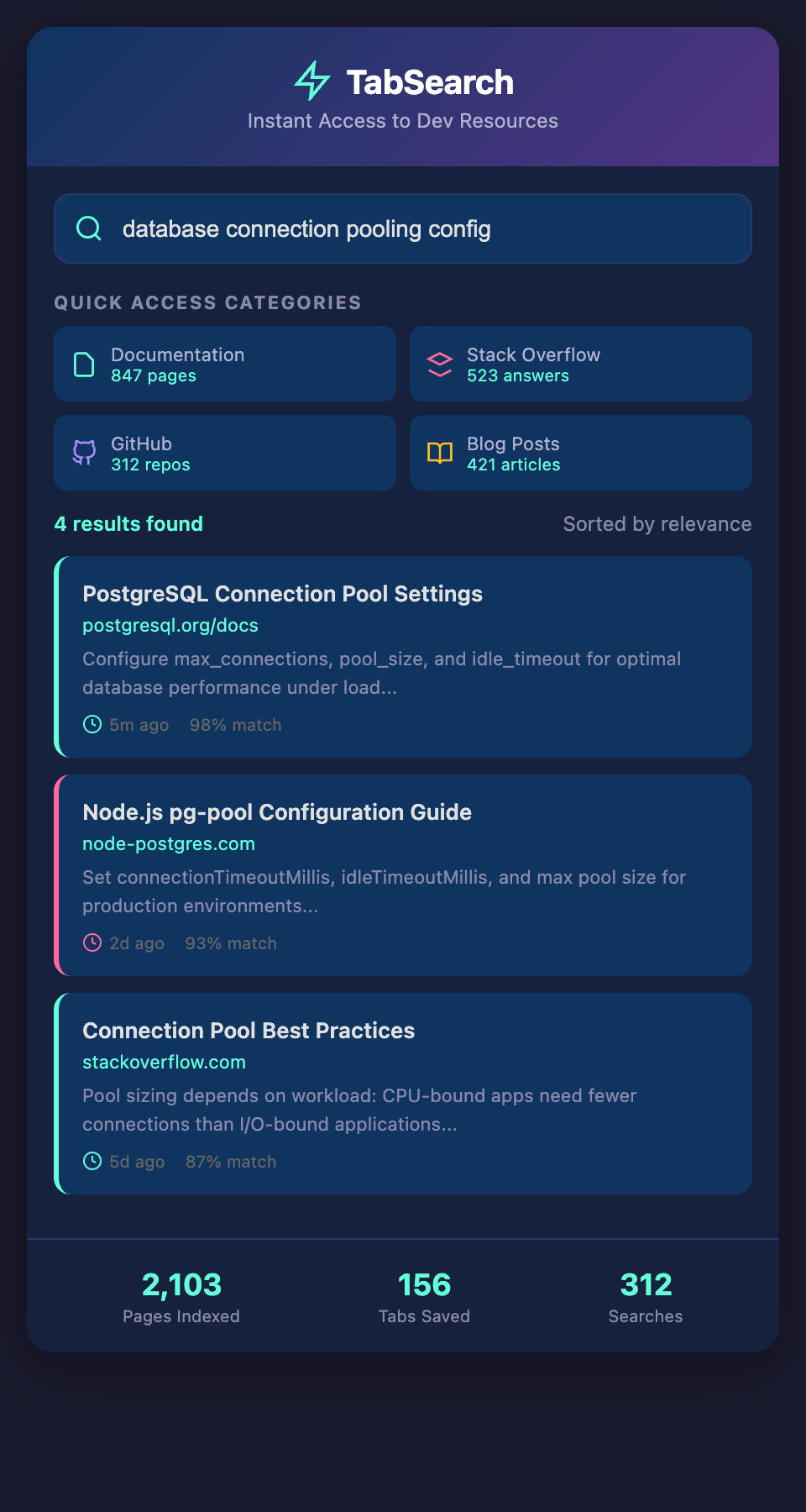
Full-text indexing means every word on every page is indexed for instant retrieval. When you search "database connection pooling," the system immediately shows you every resource where these concepts appear together, ranked by relevance.
This is fundamentally different from bookmark folders or browser history search. You don't need to remember which site has the information. You don't need to have actively bookmarked it. If you visited it, it's indexed and searchable.
The magic happens with ranking and organization:
Relevance-Based Results: Not all matches are equal. A comprehensive guide about connection pooling is ranked higher than a Stack Overflow comment that mentions the phrase. Pages that thoroughly discuss your search terms bubble to the top.
Context-Aware Organization: The system understands that you were researching database optimization last week for a specific project. That context helps organize results, showing you the most relevant resources from your recent research.
Cross-Reference Discovery: When you search for a concept, you don't just get pages about that concept. You get pages that reference it from different angles—a blog post on databases, a Stack Overflow answer about Node.js specifically, and official documentation.
Real-World Information Access Scenarios
Scenario 1: Configuration Reference During Deployment
You're deploying an app and hit an environment configuration issue. You remember reading about this. Was it in the official docs? A blog post? A Stack Overflow answer? Instead of hunting through three different sources, you search "process environment variables Node.js development staging production". Your system returns every resource you've read discussing this topic, organized by recency and relevance. You find your answer in seconds.
Scenario 2: Architecture Decision Recall
You're in a design meeting discussing how to structure your API. You remember seeing a thoughtful article comparing REST and GraphQL, and another about designing RESTful endpoints properly. Rather than trying to recall the blog title or source, you search "RESTful API design endpoint versioning strategies". The system instantly retrieves every architectural discussion you've researched, letting you reference specific points during your discussion.
Scenario 3: Quick Reference During Code Review
You're reviewing a teammate's pull request and questioning their approach to error handling. You remember reading about error handling best practices but can't place the source. A quick search for "JavaScript error handling promises async await" retrieves the blog post, the documentation, and the Stack Overflow answers you referenced. You can cite sources and discuss the tradeoffs in seconds.
Building Your Searchable Knowledge Base
Here's what instant access actually feels like:
-
You search once and get results from every source you've researched
-
You don't need to remember where information came from
-
You don't need to maintain bookmark structures or notes
-
Your information stays organized by how you research naturally
-
Everything is just... searchable
The shift is subtle but transformative. Instead of spending time managing information, you spend that time using it.
The Speed Advantage Compounds
Every developer has experienced the frustration of knowing something exists but not being able to locate it. You're confident you've read the solution, but you can't find it, so you solve the problem from scratch again.
With instant searchable access to your resources, this frustration disappears. You become faster not just at solving problems, but at leveraging knowledge you've already gained. You spend less time searching and more time building.
Across your career, this compounds significantly. If you reference your saved resources five times per week, and each reference saves you 20 minutes of searching, that's an hour and 40 minutes per week. Across a year, that's 85+ hours of recovered productivity.
Stop Losing Information
You don't need another tool to organize. You need your browser research to be automatically organized and searchable.
Join our waitlist to get instant access to your saved development resources. Search everything you've researched. Find answers instantly. Stop wasting time on information management and start focusing on building.