Never Forget Code Snippets Again: Searchable Reference System
The Code Snippet Loss Problem
You find it: a perfect, elegant solution on Stack Overflow. The code is clean, the explanation is clear, and you understand exactly why it works. You bookmark it, then copy the pattern into your current project.
Six months later, you need that pattern again. You remember:
-
It was on Stack Overflow
-
It was about... some topic related to what you're doing
-
The code was really clean and simple
But you don't remember the exact title, the author, or how to find it.
You search Stack Overflow: "efficient implementation pattern". Nothing. You search Google differently: "optimized code pattern". Still not finding it. You give up and implement it from scratch, less elegantly this time.
This happens to every developer constantly. Valuable code patterns you've discovered disappear into inaccessible memory.
Why Code Snippet Management Is Broken
The Copy/Paste Problem
Most developers handle code snippets by:
-
Find good code
-
Copy it
-
Paste into IDE
-
Modify it for their use case
-
Delete the original tab
-
Never think about the source again
The source knowledge is lost. You have the code in your project, but the original context and explanation are gone. If someone asks "why did you implement it this way?", you've lost the reasoning.
Snippet Storage Apps Are Clunky
Some developers use Gist, Snippet Store, or similar tools:
Pros:
-
Centralized storage
-
Search capability
Cons:
-
Manual process: find snippet → copy → open tool → create → paste → tag
-
Cognitive overhead: "Is this useful enough to save?"
-
Maintenance burden: Old snippets accumulate
-
No context preservation: Original explanation, link, discussion gone
-
Lost metadata: Why did you save this? When? For which project?
The friction of the process means most good snippets never get saved.
Browser Bookmarks Don't Solve It
Bookmarking a Stack Overflow answer doesn't help when:
-
You can't search by code pattern, only URL/title
-
The answer might be deleted
-
You remember the code but not the page title
-
You have 500+ bookmarks and can't find it
Bookmarks are terrible for code discovery.
Brain Memory Is Unreliable
Relying on memory to recall code patterns:
-
You remember the pattern, but not how to implement it efficiently
-
You remember a similar pattern, but implement it wrong
-
You think you remember it, but get the details wrong
-
You spend time re-implementing instead of copy-pasting
Over a career, this forgotten knowledge represents thousands of hours of duplicate work.
What Effective Code Snippet Management Needs
1. Automatic Capture
Every code snippet you encounter should be automatically saved:
-
GitHub code examples? Captured.
-
Stack Overflow answer? Captured.
-
Blog post with code? Captured.
-
Documentation example? Captured.
No manual action needed. If you're reading it, it's being saved.
2. Full-Text Search of Code
You should search by:
-
Variable names: "debounce function"
-
Patterns: "memoization pattern"
-
Libraries: "Redux middleware example"
-
Concepts: "error handling in async code"
-
Problems: "prevent duplicate requests"
The system understands code and finds relevant patterns.
3. Semantic Code Understanding
The system should recognize:
-
What pattern the code implements (factory, observer, memoization, etc.)
-
What problem it solves
-
What libraries/frameworks it uses
-
Performance characteristics
-
Best practice alignment
This understanding makes search more intelligent than simple text matching.
4. Context Preservation
When you save a code snippet, preserve:
-
Source URL: Where it came from
-
Surrounding explanation: Why the code matters
-
Author/credit: Who wrote it
-
Language/framework: What ecosystem it's for
-
Use cases: What problems it solves
-
Related snippets: Similar solutions
This context is as valuable as the code itself.
5. Multiple Discovery Methods
You should find snippets through:
-
Search: Type "debounce function" and find implementations
-
Browsing: View snippets by category (patterns, libraries, problems)
-
Similarity: "Show me other examples like this"
-
Timeline: "What snippets did I save last week?"
-
Trending: "What patterns are my team using?"
6. Easy Integration Into Projects
Found the perfect snippet? It should take one click to:
-
Copy to clipboard
-
Insert into current file
-
Create a new file from it
-
Reference it in documentation
Integration should be frictionless.
Real Development Scenarios
Scenario 1: Building Authentication
You need JWT authentication. You remember seeing a great implementation but don't know where. Instead of searching Google, you search your snippet library:
-
Search: "JWT authentication refresh token"
-
Results: Stack Overflow answer with refreshable tokens, blog post with complete implementation, library documentation, GitHub example
You pick the best implementation for your use case, with full context preserved.
Scenario 2: Debugging Performance
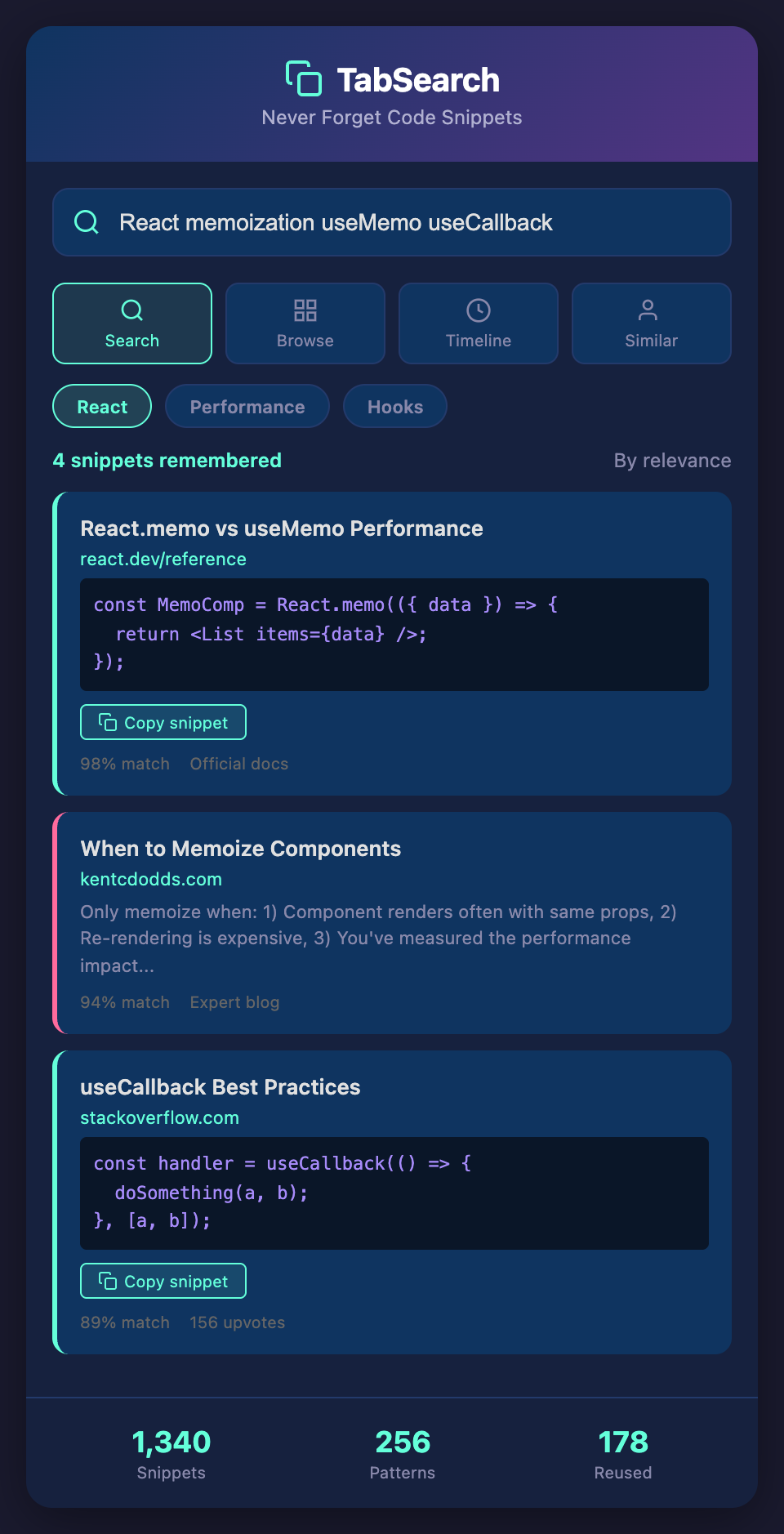
Your React component is rendering too slowly. You remember a pattern for memoization but can't quite recall it. Search: "React memoization performance optimization"
Results show:
-
React.memo example from official docs
-
useMemo hook with explanation
-
useCallback hook example
-
Blog post about when to memoize
-
GitHub project using optimized rendering
You understand not just the syntax, but when and why to use it.
Scenario 3: Pattern Learning
You want to understand "error boundary" pattern in React. Instead of searching tutorials, you search your snippet library: "error boundary implementation"
Results:
-
Official React documentation
-
Real-world examples from GitHub
-
Blog post explaining the pattern
-
Stack Overflow answers for common issues
You see the pattern implemented multiple ways, reinforcing your understanding.
Scenario 4: Team Knowledge Sharing
Your team discovers a clever pattern for handling optimistic updates. Instead of losing it in Slack or email, it's automatically captured in your searchable library. New team members learn from it. Future projects use it.
Building Your Code Snippet Library
Key Components
Automatic capture: Every code example you encounter is saved.
Code-aware indexing: System understands code structure and patterns.
Full-text search: Find snippets by pattern, problem, library, or concept.
Context preservation: Save source, explanation, and use cases.
Multiple discovery: Search, browse, timeline, similarity.
Integration: Easy copying and insertion into projects.
Sharing: Team access to shared snippets and patterns.
The Value Accumulation
Over a developer career, code snippets compound in value:
-
Year 1: 50 code snippets saved
-
Year 3: 200 code snippets saved (patterns across languages, frameworks, paradigms)
-
Year 5: 500+ code snippets saved (extensive pattern knowledge)
If just 10% of these snippets save you 30 minutes each (avoiding re-implementation), that's:
-
Year 1: 2.5 hours saved
-
Year 3: 10 hours saved
-
Year 5: 25 hours saved
Cumulatively, over a 5-year career, that's 37+ hours of duplicate work avoided. And this is conservative—patterns that save 2+ hours each are common.
Stop Re-Inventing Code Patterns
The code patterns you've discovered and studied represent a valuable asset. That knowledge should be preserved, organized, and instantly accessible.
Ready to build a searchable library of code patterns you've learned? Join developers organizing their code snippet knowledge. Join our waitlist for early access to automatic code snippet capture and semantic search.