Designing Effective Sidebar Information in RPG Modules
The Role of Sidebars
Sidebars exist in the space between the main text and the appendix. They contain information that the GM needs in context but that would disrupt the main text's flow if included inline. A well-placed sidebar enhances the GM's experience. A poorly placed sidebar distracts from it.
Think of sidebars as footnotes with elevation — they are visible, accessible, and contextual without being intrusive.
Types of Sidebar Content
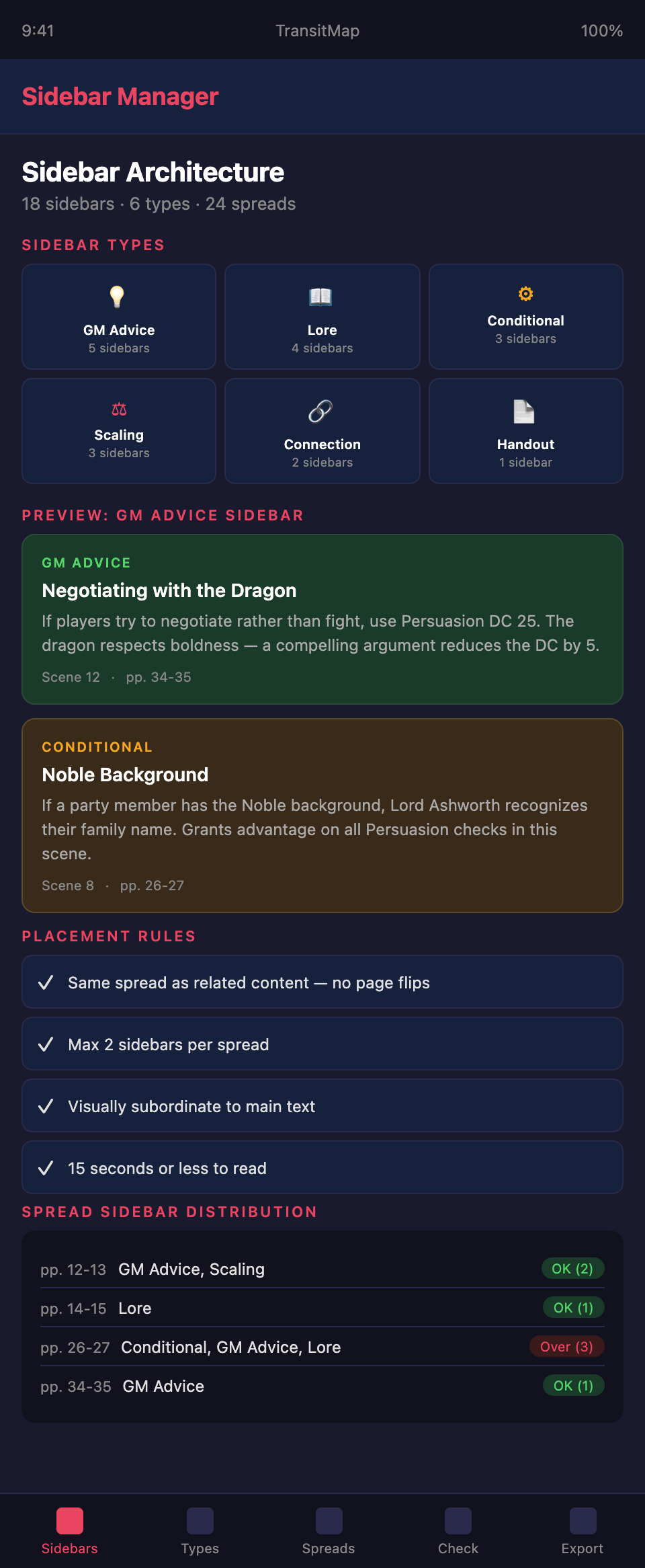
GM advice sidebars. Tips for running specific scenes, handling likely player actions, or managing tone. These are especially valuable for less experienced GMs who might not know how to handle unusual situations.
Example: "If the players try to negotiate with the dragon rather than fight, use the Negotiation skill with DC 25. The dragon respects boldness — a player who makes a compelling argument may reduce the DC by 5."
Lore and background sidebars. World-building information that enriches the GM's understanding of the scene without being required for play. History, cultural context, designer's intent, and connections to the broader setting.
Example: "The ruins of Thal Moren were once a dwarven trade city that fell during the Dragon Wars. The architecture reflects late dwarven engineering — soaring vaults supported by geometric buttresses. GMs familiar with the setting sourcebook will recognize elements from Chapter 7."
Conditional content sidebars. Information that applies only under specific circumstances: player choices from earlier in the adventure, specific party compositions, or campaign-specific variables.
Example: "If the party includes a character with the Noble background, Lord Ashworth recognizes their family name and treats them with deference. This grants advantage on all Persuasion checks in this scene."
Scaling sidebars. Guidance for adjusting encounter difficulty, content complexity, or thematic intensity based on the group's level, experience, or preferences.
Example: "For parties below level 5, reduce the number of guards to three and remove the lieutenant. For parties above level 8, add a second lieutenant and give all guards the Alert feat."
Connection sidebars. References to related content in other modules, sourcebooks, or supplements. These help GMs who own multiple products integrate them into a cohesive campaign.
Example: "This faction also appears in The Crimson Alliance supplement. GMs running both can use the faction reputation system from that book to track the party's standing."
Player handout sidebars. Content designed to be shared directly with players — letters, inscriptions, notices, or visual descriptions that can be read aloud or printed as handouts.
Sidebar Placement Principles
Place sidebars on the same spread as related content. The GM should never need to flip pages to reference a sidebar. If the main text discusses the encounter and the sidebar provides scaling guidance, both should be visible simultaneously.
Place sidebars where they are needed, not where they fit. Layout constraints sometimes push sidebars away from their related text. Resist this. A sidebar on the wrong page is a sidebar that will not be read.
Avoid sidebar overload. No spread should have more than two sidebars. More than that creates visual noise and makes it hard to focus on the main text. If you have too many sidebars for a section, move some content to the main text or the appendix.
Maintain visual hierarchy. Sidebars should be visually subordinate to the main text. They should not be larger, more colorful, or more prominent than the content they support.
Sidebar Formatting
Title every sidebar. A descriptive title lets the GM assess relevance at a glance. "Scaling This Encounter" is better than "Note" or "Sidebar."
Keep sidebars concise. A sidebar should be readable in fifteen seconds or less. If the content requires more space, it belongs in the main text or the appendix, not a sidebar.
Use consistent formatting. All sidebars of the same type should share visual formatting — same border style, same background color, same font treatment. This lets the GM recognize sidebar types instantly.
Type coding. If you use multiple sidebar types, consider a simple coding system — different border colors or icons for GM advice versus lore versus scaling. This helps the GM identify which sidebars are relevant to their current need.
Common Sidebar Mistakes
Essential information in sidebars. If information is required to run the encounter correctly, it belongs in the main text. Sidebars are for supplementary information. A GM who skips a sidebar should still be able to run the scene.
Sidebars that duplicate main text. A sidebar that restates information already in the main text wastes space and suggests that the main text was unclear.
Sidebars with no clear audience. Every sidebar should serve the GM. A sidebar about the designer's creative process or a tangential historical note that does not affect play is interesting but does not belong in the module — save it for a blog post or designer's commentary.
Inconsistent sidebar quality. Some sections have detailed, helpful sidebars while others have none. Distribute sidebars evenly throughout the module.
Designing a module with layered information delivery? Join the TransitMap waitlist — organize your module's information architecture visually, with main content, sidebar content, and appendix references all mapped to their locations in your adventure's structure.